
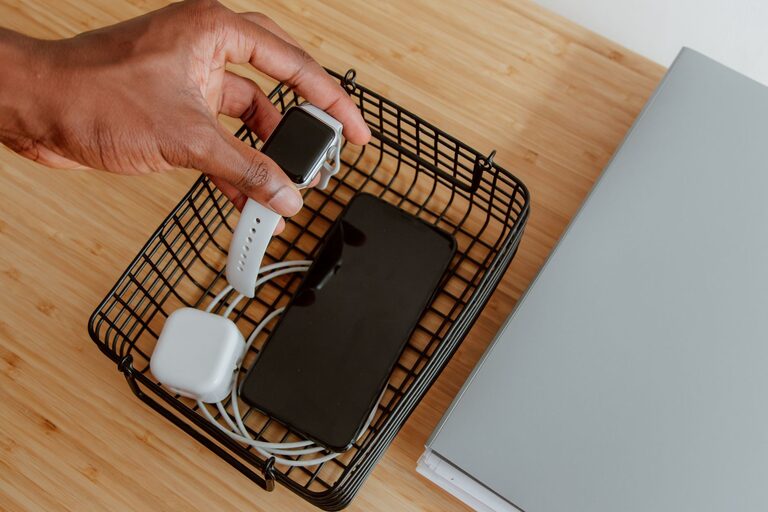
Setting up a dedicated charging station for your devices is a practical way to keep your gadgets organized, fully powered, and easy to find. Whether you have smartphones, tablets, smartwatches, or other rechargeable electronics, having one central spot can save time and reduce clutter. In this guide, we’ll walk you through everything you need to know to set up a convenient charging station at home or in the office.
Why Create a Charging Station?
Devices are part of daily life, but managing multiple chargers and cords can get messy fast. Here’s why a charging station is a smart idea:
– Organization: Keeps all devices and cables in one place.
– Efficiency: Makes charging faster and easier.
– Safety: Reduces tripping hazards and potential damage to cords.
– Accessibility: Ensures devices are always ready to go.
Ready to get started? Let’s explore the step-by-step process.
Step 1: Choose the Right Location
The best spot for your charging station depends on how and where you use your devices the most.
– Central and Accessible: A kitchen counter, desk, or living room shelf can work well.
– Near Power Sources: Place it close to electrical outlets to minimize cable run.
– Flat Surface: Choose a sturdy, flat area to keep devices stable.
– Away from Heat and Moisture: Avoid placing the station near heat sources or water to protect your devices.
Step 2: Gather Your Equipment
Before setting up, collect all necessary tools and materials:
– Charging Hub or Power Strip: Look for one with multiple USB ports or outlets.
– Charging Cables: Use cables compatible with your devices; consider extra-long ones if needed.
– Cable Organizers: Clips, ties, or sleeves help keep cords neat.
– Charging Dock or Stand: Optional, but useful to hold devices upright and save space.
– Container or Tray: To hold smaller items like earbuds or smartwatches.
– Labeling Supplies: Small labels can help keep cables and devices identifiable.
Step 3: Select the Charging Hub
Choosing the right charging hub is key to an efficient station.
– Multi-Port USB Chargers: Allow simultaneous charging of several devices from one outlet.
– Fast Charging Support: Check if the hub supports quick charge standards (like Quick Charge or Power Delivery) for faster power-up.
– Surge Protection: Helps safeguard your devices from power surges.
– Compact Design: Ensures your station stays tidy.
Step 4: Organize and Arrange Cables
Cable management is essential to avoid a tangled mess.
– Bundle Excess Length: Use cable ties to shorten long cords without damaging them.
– Label Each Cable: Attach small tags to identify which cable belongs to which device.
– Use Cable Clips or Sleeves: Secure cables along the edges of your station or furniture.
– Separate Charging and Data Cables: This helps prevent interference and confusion.
Step 5: Set Up Device Placement
Decide how your devices will rest while charging.
– Charging Stands: Useful for phones and tablets, keeping screens visible and accessible.
– Trays or Bowls: Good for smaller items like earbuds, smartwatches, or portable battery packs.
– Vertical or Horizontal Arrangement: Choose what saves more space and looks clean.
Step 6: Power It Up and Test
Plug the charging hub or power strip into the wall outlet.
– Connect each cable to the charger and device.
– Power on the charging station if it has a switch.
– Confirm each device is charging properly.
– Adjust the setup if cords are too tight or devices don’t fit well.
Tips for Maintaining Your Charging Station
Once your station is set up, keeping it organized is simple with a few habits:
– Regularly Inspect Cables: Check for wear and replace if necessary.
– Clean the Station: Dust and wipe down surfaces weekly.
– Unplug Unused Chargers: Save energy and prolong charger lifespan.
– Update Cables as Needed: New devices may require different charging standards.
– Keep Backup Cables Handy: For guests or unexpected needs.
Additional Ideas for Customizing Your Charging Station
Make the station fit your style and needs with these extras:
– Add a Small Lamp: For better visibility at night.
– Incorporate a Wireless Charger: For compatible devices, reducing cable clutter.
– Use Decorative Containers: Make the space more visually appealing.
– Add a Clock or Timer: To monitor charging times.
– Include a Small Notebook: For tracking device maintenance or reminders.
Conclusion
Building a charging station is a smart and straightforward way to manage your devices. By choosing the right location, equipment, and organization methods, you’ll create a space where devices stay charged and ready without the hassle of tangled cords or lost chargers.
Try these tips today to simplify your digital life and enjoy a clutter-free, efficient charging setup!
